


B612 AI Photo&Video Editor
4.120.16K Reviews
App Specs
- Version
- Varies with Device
- Updated On
- License
- Free
- Downloads
- 500,000,000+
- Developer
- SNOW Corporation
- Categories
- Photography
- Platform
- Android, iOS
Screenshots
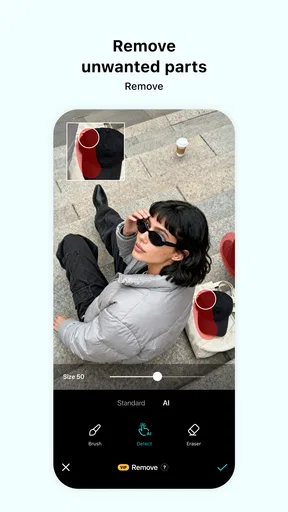
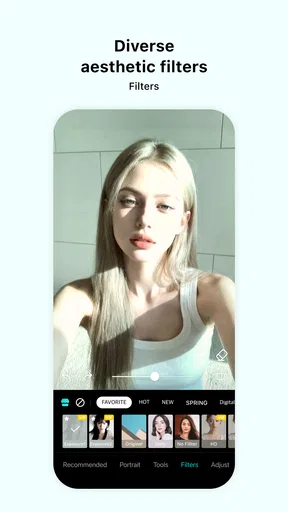
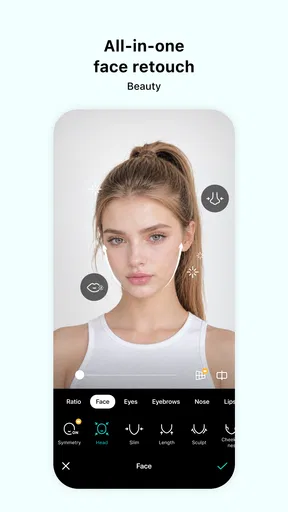
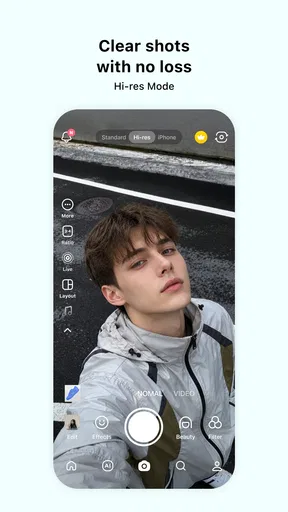
 Analysis by AppCompare
On a shared household phone or tablet, a camera app tends to become everyone’s quick-stop creative tool: one person wants a natural-looking selfie, another wants a playful sticker, and someone else is trying to make a short clip before heading out. That mix is where B612 AI Photo&Video Editor can be handy. It is built around quick visual changes rather than a complicated editing routine, so different people can pick it up for a small task without needing to learn a full photo suite.
I would treat it as a casual creation app, not as a shared photo archive or a family account system. Each person should be clear about which device profile or account they are using, and anyone borrowing the phone should know before editing or saving someone else’s pictures. Those simple boundaries matter more in a shared setup than another row of effects does.
A shared camera for different moods
The most convincing household use is a quick, low-pressure one: a relative wants a brighter portrait for a message, a teenager is making a playful clip, and another person wants to test a filter before taking a picture. The live preview helps people compare looks before they commit to a shot, which can cut down on repeated photos. Face-following stickers also make more sense when the goal is a quick joke or a casual group image than when someone wants a polished, formal portrait.
Guides and Analysis on B612 AI Photo&Video Editor
For a small event, I would use the app in two passes. First, choose a restrained look while framing the shot; then, after capturing it, make a light adjustment to brightness or contrast if the image needs it. That keeps the result from becoming a stack of competing effects. If several people are taking turns, it also makes the process easier to follow: pick a look, take the photo, review it, and hand over the device.
There is a useful trade-off here. B612 brings the camera and playful finishing touches together, so it can be quicker than taking a picture in the standard camera app and opening a separate editor. But that convenience encourages experimenting on the spot. I would avoid letting a group session turn into a long search through effects when the moment itself is fleeting; choose a style before the person is ready, or take a plain version as well.
Set simple boundaries before handing over the device
For shared use, I would agree on a few practical rules rather than assume that an editing app will manage everyone’s privacy or files. Ask before applying a face effect to another person, especially in a group picture. Check the image before saving or sharing it, and make sure the person in the photo is comfortable with the result. These habits are useful with any camera editor, but they are particularly relevant when stickers and beauty effects invite quick, playful changes.
It is also worth deciding who is responsible for keeping or removing a finished image. A shared device can collect drafts and edited copies from several people, making it harder later to tell which version is the one someone meant to keep. I find it sensible to review the result immediately and use the device’s ordinary photo-management habits to keep personal pictures in the right place. Do not assume that an editing app is also a household gallery organizer.
Worth Reading Before You Choose

ESPN’s Live Game View Makes Following Close Games Easier

QuizzLand Review: A Good Fit for Short Trivia Breaks, Not Every Player

Basketball Stars: Multiplayer Is Fast, but Can It Recover When Matches Go Wrong?

WEBTOON Turns Phone Updates Into a Better Reading Routine

Link to Windows Runs on Shared Habits, Not Social Feeds

How Alibaba.com Dominates the B2B Marketplace
If you want a consistent look for a batch of family pictures, settle on the filter or tone before passing the device around. That small bit of coordination avoids a set where every image has a different mood. For portraits, I would also compare the filtered preview with the unfiltered view: a subtle adjustment can be flattering, while a strong effect may make people look unlike themselves. The point is to help the picture, not to let the effect make the decision.
Who will enjoy it, and who may prefer another editor
I think the app suits people who often take selfies, enjoy trying visual styles, or want to make quick social clips without moving between several tools. It is also approachable for someone who is new to editing and would rather see a look in the camera preview than learn a detailed workflow first. SNOW Corporation has shaped it for that kind of immediate use, and its photography focus is clear even when video is part of the task.
Compared with a standard camera app, B612 offers more playful ways to alter a portrait before taking it. Compared with a conventional photo editor, its appeal is less about careful, comprehensive post-production and more about quick effects and accessible adjustments. If your priority is precise control over a large batch of images, a dedicated editing program may be a better fit. If you mostly want to take a picture, try a look, and share a short creative result, the all-in-one approach is more convenient.
There is a personal-style caveat too: beauty tools are not automatically an improvement. I would use them lightly for a natural portrait and skip them when accuracy matters, such as documenting an item for sale or keeping a straightforward record. The best choice depends on the purpose of the image, not on how many effects are available. Someone who dislikes face alteration or prefers a clean, unprocessed look may be happier with the device’s regular camera and a minimal editor.
What’s the Buzz About?
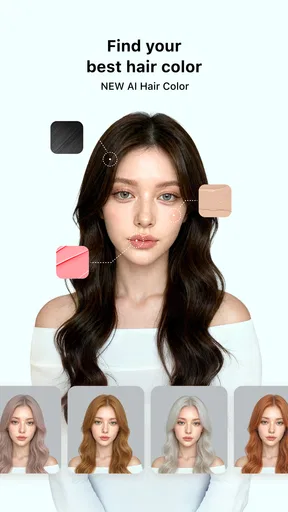
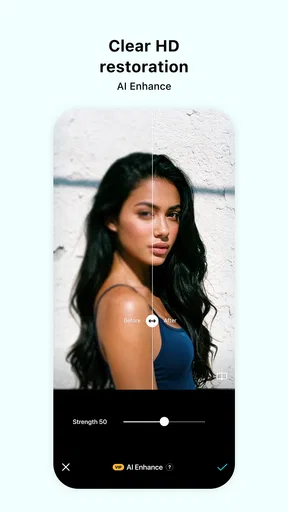
Alright, so B612 AI Photo&Video Editor isn’t just another filter-adding app. It’s packed with features that make your photos and videos pop with just a few taps. The app claims to offer a variety of editing tools, but what really caught my attention were the AI-driven features. They’re like having a professional photographer in your pocket, minus the hefty fees.
Features That Make You Go "Wow!"
Let’s talk features, shall we?
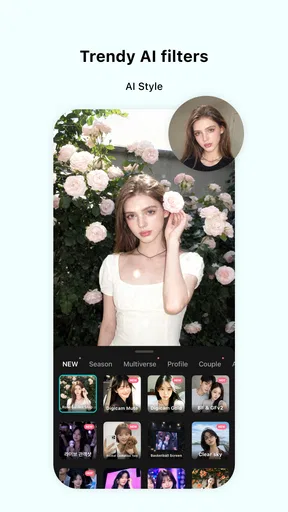
- AI Beauty Filters: These filters are no joke. They adjust to your face like they’ve known you for years, subtly enhancing your features without going overboard.
- Smart Stickers: Want to add a bit of fun to your photos? The app comes with smart stickers that move with your face. It’s like Snapchat, but a little more grown-up.
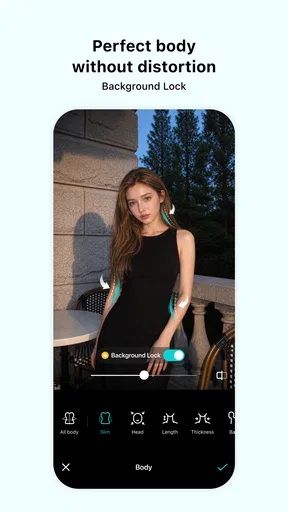
- Advanced Editing Tools: From cropping to adjusting brightness and contrast, the app has all the basics covered. Plus, there are more advanced options like curves and color grading if you’re feeling fancy.
- Real-Time Effects: One of my favorite features is the real-time editing. You can see how your photos will look with different filters before you even click the shutter. Talk about a time-saver!
Using the App: A Smooth Ride
Downloading the app was a breeze, and I was up and running in no time. The interface is user-friendly, which is a huge plus for someone like me who doesn’t want to spend hours figuring out how to use an app. Everything is pretty intuitive, with clearly labeled icons and a seamless navigation process.
One thing I really appreciate is the tutorial for new users. It’s like a quick crash course on how to make the most of the app, and it’s incredibly helpful if you’re not familiar with photo editing apps.
Got Videos? No Problem!
Oh, and did I mention video editing? Yup, B612 AI Photo&Video Editor isn’t just for photos. The video editing tools are just as robust. You can add music, trim clips, and apply effects all within the app. For someone who loves crafting short videos for social media, this app is a godsend.
For a short clip, I would keep the edit simple: trim away the pause at the start or end, choose one effect, and check that the music suits the moment before finishing. This is a useful way to make a quick greeting or social post feel more considered without turning it into a full editing project. If the footage needs detailed timing, layered edits, or a more controlled sound mix, though, I would move to a dedicated video editor instead.
Practical expectations for a household
The app is free to download, and its in-app purchases range from $0.99 to $69.99 per item. I would let each person try the free experience first and make sure anyone responsible for purchases understands that optional spending can be part of the app. On a device used by children, a grown-up should handle purchase decisions and set the device’s usual purchase safeguards; I would not treat the app itself as a substitute for those arrangements.
Its age rating is Everyone, which makes it broadly suitable as a photography app, but that label does not replace ordinary supervision or a conversation about sharing pictures. The main household question is not simply whether a child can open the camera; it is whether they know to ask before photographing others and before sending an image beyond the device. For younger users, I would stay nearby while they explore effects and help them distinguish a fun private edit from a picture meant to be shared.
For households that share one device, it is also sensible to agree whether the app is for casual edits only or whether people may use it for personal portraits and clips. That expectation can prevent awkward surprises when someone finds an edited image they did not ask for. I would keep the conversation straightforward: ask before using another person’s face, review the final result together, and let the person pictured decide whether it is kept or shared.
Version, popularity, and day-to-day fit
The app has been available since October 9, 2014, and its current version is 14.7.12. It has a 4.1 average from around 7.3 million ratings, alongside roughly 20,000 written reviews, and has passed 500 million installs. Those figures suggest that it is a familiar option for many people, but they do not tell me whether its editing style will suit your taste. I would judge it by trying the effects you actually want, rather than assuming popularity means every tool will feel right.
For everyday use, I would begin with one portrait and one short clip, then decide whether the controls feel comfortable and the results look like you. That is a better test than spending a long time browsing effects before taking anything. If the app becomes a regular part of your routine, keep the editing light enough that you still recognize the original moment; if you find yourself repeatedly undoing a look, that is a sign to use a simpler workflow.
Final Thoughts: Is It Worth It?
So, after spending some quality time with B612 AI Photo&Video Editor, do I think it’s worth downloading? Absolutely. Whether you’re a selfie enthusiast or someone who just wants to up their photo game, this app offers a lot without overwhelming you with too many options.
It’s perfect for quick edits on the go, and the AI features really set it apart from other editing apps. Plus, it’s free to download, so there’s no harm in giving it a shot. Trust me, your Instagram followers will thank you.
In a world where everyone’s trying to snap the perfect pic, having a tool like B612 AI Photo&Video Editor in your arsenal is a game-changer. So why not give it a whirl and see how it transforms your photos and videos?
My household verdict is positive, with a few sensible limits: I would recommend it when several people want an easy way to experiment with portraits and short clips, and when quick results matter more than meticulous control. I would choose a dedicated editor for detailed retouching or a standard camera for a natural, untouched record. Keep purchase decisions and sharing choices clear on a shared device, and the app can be an enjoyable creative extra rather than a source of confusion.
Pros
- Intuitive and user-friendly interface.
- Offers a wide range of filters.
- Advanced AI editing tools.
- Supports both photo and video edits.
- Regular updates with new features.
Cons
- Contains in-app purchases.
- Requires internet for some features.
- Ads can be intrusive at times.
- Some features may lag on older devices.
- Limited free storage options.
FAQs for B612 AI Photo&Video Editor
What features does B612 AI Photo&Video Editor offer?
B612 AI Photo&Video Editor provides a wide range of features, including AI-powered photo and video editing tools, numerous filters and effects, beauty and makeup options, and AR stickers. The app also supports real-time editing and offers a user-friendly interface that is suitable for both beginners and advanced users.
Is B612 AI Photo&Video Editor free to use?
Yes, B612 offers a free version with access to its basic features. However, there are in-app purchases available for premium features and content. These may include advanced filters, effects, and editing tools, offering an enhanced experience for users willing to invest in additional options.
How does B612 ensure user privacy and data security?
B612 is committed to user privacy and data security by implementing strict measures. The app uses secure servers and encryption protocols to protect user data. Additionally, it complies with relevant data protection regulations, ensuring that users’ personal information is handled responsibly and not shared without consent.
Can B612 AI Photo&Video Editor be used offline?
B612 can be used offline for basic editing and applying pre-downloaded filters. However, an internet connection is required to access certain features, such as downloading new filters, using cloud-based tools, and sharing content directly to social media platforms. Offline functionality is somewhat limited compared to online use.
What devices are compatible with B612 AI Photo&Video Editor?
B612 is compatible with a wide range of devices, including most Android and iOS smartphones and tablets. It requires a relatively recent operating system version to function optimally. Users should check the app’s specific requirements on the Google Play Store or Apple App Store to ensure compatibility with their devices.


